
Whether you’ve forgotten which smartwatch you’re wearing, you’re buying a new strap, checking compatibility, or you’re planning to sell it, knowing your watch’s make and model is key. Luckily, it’s easy to work out. Here’s how to check your smartwatch model across Apple and Samsung devices.

What model is my smartwatch? Here’s how to find out!
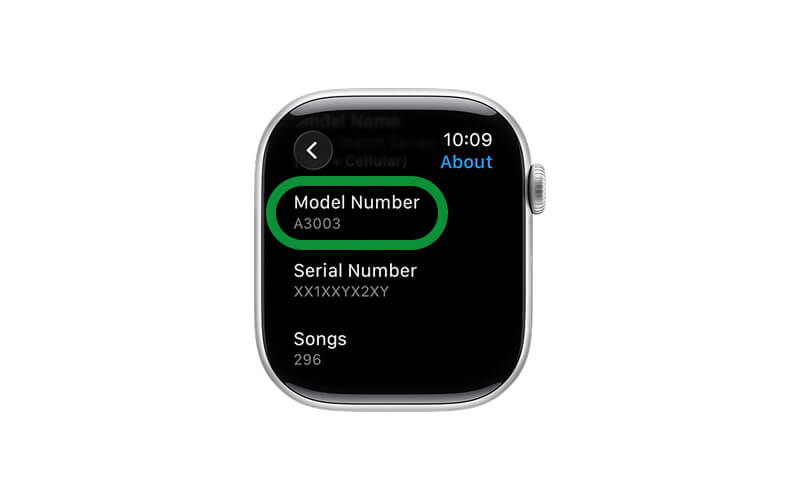
How can I find out what Apple Watch I have?
1. Open the Watch App on your iPhone
2. Tap General, About
3. Look for Model Name (e.g. Apple Watch SE, Series 9)
4. Look for Model Number
5. Scroll to Capacity to see storage (GB)
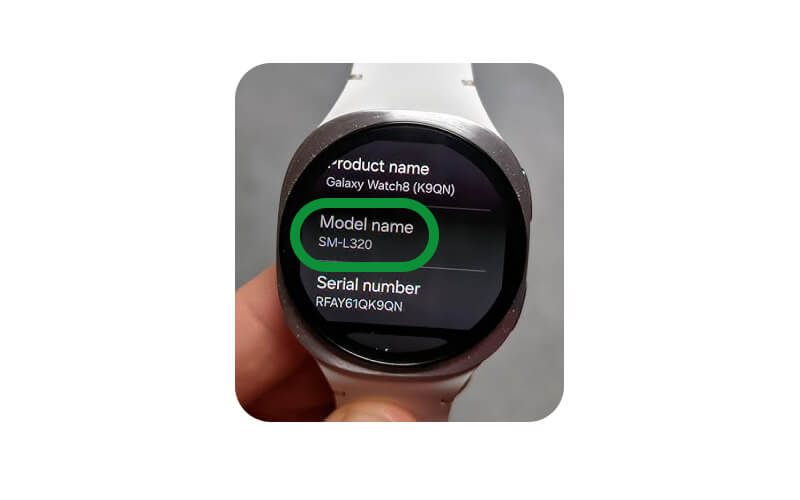
How can I find out what Galaxy Watch I have?
1. Open Settings on your watch
2. Tap About Watch
3. Look for Model Number (e.g. SM-Rxxx)
4. Go to Storage
5. View Used Total Space (GB)
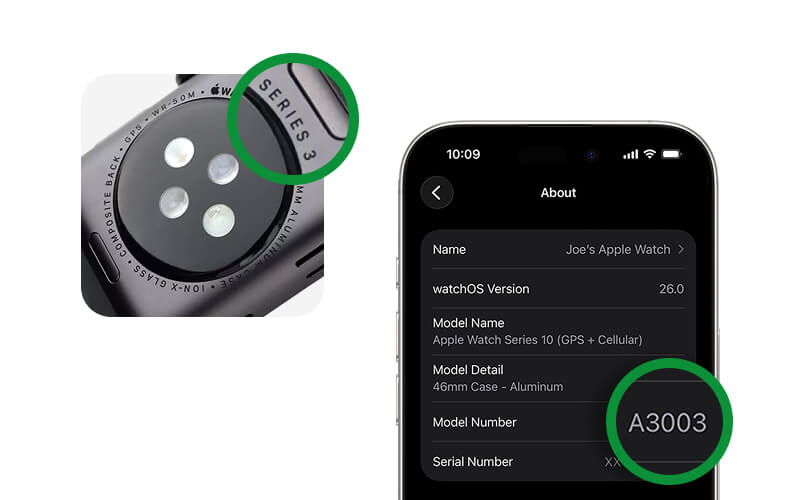
Already factory reset your device?
No problem at all, you can still work out what your device is without having to set it up again. To find what wearable you have after it's been reset, follow these steps:
1. Check the original box if you still have it, the box usually clearly shows the make, model and storage
OR
2. Check the small engraved text on the back of the watch case, specifically around the sensor and search it online to find the model and storage size.
You can use these to identify your device on Apple and Samsung.
Ready to trade in your device?
Once you’ve identified your device, click below and enter the make and model into the search bar for a free instant evaluation! The quickest way to get paid for your wearable is to choose Royal Mail at the checkout, we'll pay you the same day we receive it at our warehouse via bank transfer after a quick check.